Smartphone AI Features Explained: What Apple, Samsung and Google AI Actually Do on Your Phone
<p>Every flagship phone now arrives wrapped in the same promise — it is not just a phone, it is an AI phone — and every maker means something different by it. Apple’s version is Apple Intelligence, a “personal intelligence system” woven through iPhone. Samsung’s is Galaxy AI, a suite of translation, search and editing tools. […]</p>
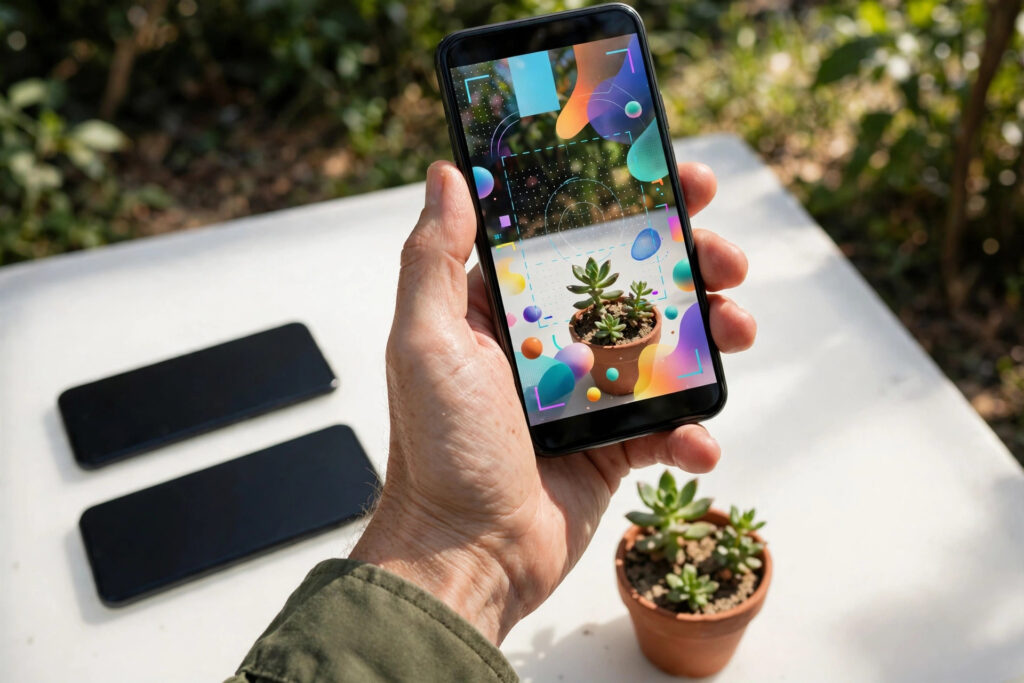
Every flagship phone now arrives wrapped in the same promise — it is not just a phone, it is an AI phone — and every maker means something different by it. Apple’s version is Apple Intelligence, a “personal intelligence system” woven through iPhone. Samsung’s is Galaxy AI, a suite of translation, search and editing tools. Google’s is Gemini on Pixel, an assistant that also powers the camera and the call screen. The features overlap — all three will rewrite your text, clean up your photos and summarise your day — but they differ in the ways that actually matter: what they do, where the processing happens, what they cost, and whether your current phone can run them at all. This pillar guide compares the three systems feature by feature, using each maker’s own pages as the ground truth — Apple’s description of Apple Intelligence, Samsung’s Galaxy AI guide and Google’s Pixel pages — with five companion guides that go deep on each system and on the two questions underneath them all: privacy and hardware.
Highlights
- The shared core: all three systems rewrite text, summarise content, edit photos generatively and answer spoken questions.
- Apple Intelligence: Writing Tools, Clean Up, Image Playground — built on on-device processing with Private Cloud Compute for bigger jobs.
- Galaxy AI: Live Translate and Circle to Search lead a broad suite; Samsung’s own features are free, with paid additions possible in future.
- Gemini on Pixel: the deepest assistant integration — Gemini Live conversation, Magic Cue proactive help, Call Notes and Scam Detection.
- The real divide: not features but physics — on-device versus cloud processing, and the new hardware the on-device half demands.
Three systems, one idea
The idea underneath all three brands is a shift in what a phone’s intelligence means. For a decade, “smart” features meant apps phoning home to servers. The new systems push a capable AI model into the phone itself and spread it across the whole interface — the keyboard, the camera, the call screen, the notification shade — so help appears inside tasks instead of behind an app icon. Apple states the design most explicitly: Apple Intelligence is “integrated into the core” of its devices “through on-device processing, so it’s aware of your personal information without collecting your personal information,” escalating only the hardest requests to its Private Cloud Compute servers. Samsung describes Galaxy AI more pragmatically, as software that translates, rewrites and adapts to your lifestyle across its apps. Google’s Pixel pitch centres on Gemini as the built-in assistant that “can handle complex, multipart questions and requests,” extended by features like Magic Cue, which surfaces relevant information — a flight detail from your email when you call the airline — before you ask. Same idea, three temperaments: Apple the privacy architect, Samsung the feature maximalist, Google the assistant evangelist.

The features, compared honestly
Writing. Apple’s Writing Tools proofread your text, rewrite it in different versions to get the tone right, and summarise selected text with a tap — available across the system wherever you type. Samsung’s writing assistance similarly rewrites texts to suit different tones; its Writing Assist supports 41 languages per Samsung’s current Galaxy AI documentation. Google puts Gemini in the keyboard and apps for drafting and rewriting, with the assistant itself one long-press away. Photos. Apple’s Clean Up removes unwanted distractions from photos with a tap, and Image Playground plus Image Wand create images from descriptions and sketches. Samsung’s Generative Edit does comparable object removal and reframing, and Circle to Search — built with Google — turns anything on screen into a search when you draw a circle around it. Google’s Magic Editor repositions and reimagines photo content, Best Take merges group shots so everyone looks right, and Add Me composites the photographer into the picture.
Calls are where the three systems differ most — and where the fine print matters most.
Screening and hold. Google’s Call Screen is the oldest and widest: on Pixel 6 and later it can answer unknown numbers automatically in the US, Canada, the UK, Ireland and Australia, with manual screening in countries including France, Germany, Italy, Japan and Spain, and its Hold For Me (Pixel 3 and later, five countries) waits on hold and rings you when a human returns. Google’s Scam Detection also listens for fraud patterns. Apple added both ideas in iOS 26: Call Screening asks unknown callers to state their name and reason before your phone rings, and Hold Assist waits on the line and notifies you when an agent picks up. Samsung’s Call Assist now includes Call Screening of its own, showing a text preview of why an unknown number is calling, in 13 languages.
Translation during calls. Samsung’s Live Translate works inside ordinary phone calls in 22 languages. Its Interpreter handles face-to-face conversation. Apple’s Live Translation does the same job on-device in the Phone and FaceTime apps, but only between English, French, German, Portuguese (Brazil) and Spanish at launch, and only on Apple Intelligence iPhones. Google goes one step further on the Pixel 10 and later: Voice Translate speaks the translation in a voice that mimics your own, pairing English with ten other languages, entirely on-device.
Recording, transcripts and summaries. End a call on a Pixel 9 or later (A-series excluded) in the US, Canada, the UK, Ireland, Australia or Japan and Call Notes leaves a transcript and a summary in your call log — summaries are English-only, and everything stays on the device. Samsung reaches the same place through the Phone app’s recording plus Transcript Assist, which transcribes and summarises calls in up to 22 languages. On iPhone, call recording (iOS 18.1 and later) saves the audio and transcript to Notes, with an Apple Intelligence summary on supported devices — but the feature is switched off entirely in some regions, including the whole European Union. If you miss the call altogether, Pixel’s Take a Message (Pixel 6 and later, free) answers for you and transcribes the message live.
Nobody’s suite is a superset of the others; each leads somewhere different.
One status note readers deserve: Apple’s rebuilt Siri is real but young. Now called Siri AI, it shipped with iOS 27 in September 2026 as a beta, in English first, with French, Japanese, Korean, Portuguese and Spanish following in October 2026 — and it is not yet available on iPhone in the EU. Samsung’s phones, unusually, offer two assistants at once: an upgraded Bixby with natural conversation and device know-how, alongside Google’s Gemini.
Reminders and follow-through
Reminders: the quietest difference. None of the three markets this hard, but it is where AI stops describing your day and starts organising it. On iPhone, Apple Intelligence works inside Reminders itself: share an email, note or web page and Suggested Reminders pulls the tasks and grocery items out of it, while Auto-categorize sorts long lists into sections on its own. Google builds reminders out of conversations — Call Notes underlines the next steps from a call so you can drop them into your calendar or reminders app with one tap, and Magic Cue on the Pixel 10 series surfaces the right detail (a flight, an order number) at the moment you need it. Samsung’s answer is Now Brief, a personalised briefing that carries your reminders and calendar through the day, and Now Nudge, which spots context on screen — plans being made in a chat — and prompts the calendar action to match.
Where the work happens: device, cloud, or both
The most consequential difference is invisible. When you ask your phone to summarise a page or rewrite a message, the computation happens either on the phone’s own chip or on a server farm — and that decides the feature’s speed, whether it works on a plane, and what happens to your data. Apple’s architecture is the most clearly documented: routine work runs on-device, and when a request needs a larger model it goes to Private Cloud Compute — “Apple-designed server-based models, running on Apple silicon” — which Apple built specifically so that even cloud work inherits its privacy rules. Google splits its work between Gemini Nano, its on-device model — which powers features like Recorder summaries, Pixel Screenshots organisation and the on-device scam detection — and the full Gemini in the cloud behind the assistant and Gemini Live. Samsung is the most blended: its own guide notes a Samsung account login and network connection are required for Galaxy AI features, though some translation functions work locally once language packs are downloaded. Our companion on on-device versus cloud AI unpacks what each architecture means for your privacy in practice.

What it costs, and what phone you need
Money first, because the answer is currently pleasant: the systems themselves are bundled, not sold. Samsung states it most plainly — “Galaxy AI features provided by Samsung are free,” though future releases may include features offered on a paid basis and third-party AI features carry their own terms. Apple’s features ride inside its operating systems at no separate charge, and Google’s likewise, with the caveat that the most capable cloud assistant tiers across the industry increasingly sit behind subscriptions. The real price is hardware. On-device AI needs a modern neural engine and generous memory, so each maker fences its system to recent flagships. Apple’s current support pages list Apple Intelligence for the iPhone 15 Pro and Pro Max, iPhone 16 models and later, and the iPhone Air — notably not the standard iPhone 15 — with the on-device models taking up to 8 GB of storage on most supported devices and up to 14 GB on the newest. Samsung’s Galaxy AI spans its recent flagship generations and foldables, with feature sets varying by model. Google ties its fullest Gemini Nano features to recent Pixels. If your phone is more than about two generations old, some or all of “the AI phone” simply is not available to you — the subject of our companion, Do you need a new phone for AI features?
None of the call features in this guide needs a subscription today: Google’s Call Assist tools are explicitly free, Samsung states that Galaxy AI features it provides are free (while reserving the right to charge for future additions), and Apple Intelligence ships inside iOS at no extra charge. What money buys today is the hardware, not the features.
Going deeper
Each system rewards a closer look. Our Apple Intelligence guide details its features and the exact iPhones that qualify; the Galaxy AI guide works through Samsung’s suite and its free-versus-future-paid fine print; and the Gemini on Pixel guide separates the genuinely useful Google features from the keynote garnish. Readers new to the underlying technology will find the foundations in our plain-English guide to AI, and those weighing the assistants against each other should read ChatGPT vs Claude vs Gemini. Finally, because AI features that see and hear your life deserve informed scepticism, our guide to AI myths and scams covers the safety side.
Related Guides
- Apple Intelligence Explained: What It Does, Which iPhones Get It and What Stays On-Device
- Galaxy AI Explained: Samsung’s AI Features, How They Work and What Is Free
- Gemini on Pixel Explained: The Google AI Features That Actually Matter
- On-Device vs Cloud AI on Your Phone: What Runs Where, and Why It Matters for Privacy
- Do You Need a New Phone for AI Features? The Hardware Requirements, Explained
What this means
The smartphone industry has run out of camera bumps and screen inches to sell, so it is selling intelligence instead — and for once the marketing word points at a real architectural change. AI moving onto the device rewires three relationships at once. Between you and your data: an on-device summary of your messages never leaves your pocket, a privacy property no policy document can match, which is why Apple’s entire pitch is built on it. Between you and the makers: feature sets now splinter by chip generation, so the phone you keep for five years will fall behind in software abilities long before its screen gives up — a quiet, powerful new upgrade pressure. And between the three ecosystems: because on-device models are bound to each maker’s silicon, AI quality is becoming a reason to switch — or refuse to switch — camps, in a way camera quality stopped being years ago. For US readers the comparison that matters is not which suite has the longest feature list this quarter; Samsung, Apple and Google leapfrog each other too fast for that to stay true. It is which philosophy fits your life: Apple’s privacy-first restraint, Samsung’s throw-everything-in breadth, Google’s assistant maximalism. Choose the philosophy, keep the phone longer, and let the feature lists chase each other without you.
There is a generational wrinkle worth watching, too. For younger users, these systems are simply what a phone is: they will grow up assuming any photo can be cleaned, any call translated, any page summarised, and they will judge devices by the quality of that ambient help rather than by megapixels. For everyone else, the transition asks for a new literacy — knowing which features exist, where they run, and when to reach for them — that nobody is formally teaching. That gap is precisely why explainers like this one exist, and why the makers’ own feature names (three brands, a dozen sub-brands) do consumers no favours. The technology is converging on a simple promise: the phone understands more, so you fiddle less. Until the naming catches up with the promise, a guide and ten minutes of exploring your own settings menu remain the best upgrade you can give the phone already in your hand.
Bottom line
All three makers are selling intelligence, but they mean different things: Apple weaves it in, Samsung bundles the most of it, Google stacks it deepest. Choose by the services you already live in — and by the chip, because features now expire.
Sources
- Apple Intelligence overview — Apple (accessed 7 November 2026)
- What is Galaxy AI? — Samsung (accessed 7 November 2026)
- Pixel phones and Gemini features — Google Store (accessed 7 November 2026)
- Get started with the next generation of Apple Intelligence — Apple Support (accessed 7 November 2026)